Themify: Theme & Icon Changer
AIBY Inc.Personalization
3.7660.00 Reviews
- Version
- 1.30.8
- Installs
- 5.00M
- Age Rating
- Everyone
Screenshots
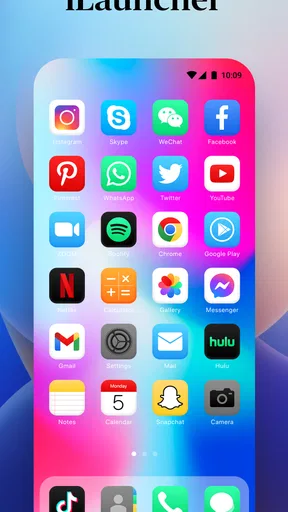
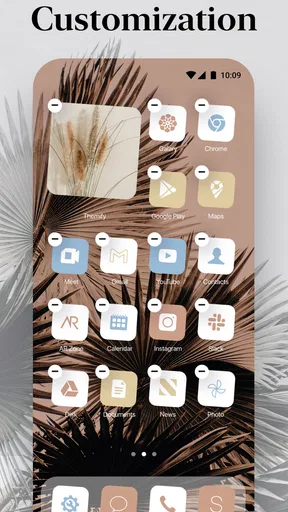
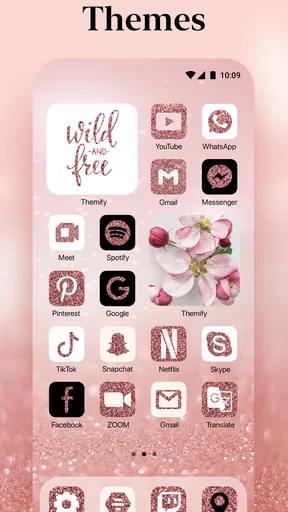
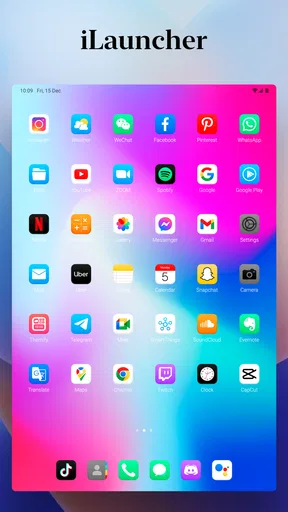
Our Review of Themify: Theme & Icon Changer
 Analysis by Appyee
I treat a home screen makeover as a small design project, not just a quick tap on a new wallpaper. The colors, icons, widgets, and the way I reach everyday apps all need to work together. Themify: Theme & Icon Changer is a personalization app from AIBY Inc. that brings those choices into one place, which makes it appealing when I want a coordinated look without assembling every element separately.
A practical way to build a home screen
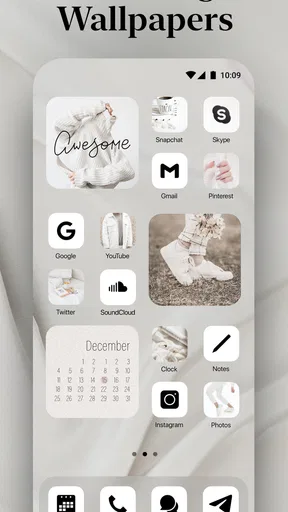
My most reliable approach is to begin with one visual anchor, usually a wallpaper or a theme, and then choose icons and widgets that support it. Changing everything at once can be entertaining, but it makes it harder to tell which element is causing visual clutter. With Themify, I’d browse first, settle on a general direction, and then apply the supporting pieces in a deliberate order.
That order matters in daily use. A theme can look lovely in a preview but feel busy behind app labels or widgets. I check the screen I actually use most, rather than judging a design only by its showcase image. If the main apps are difficult to spot, I’d rather keep the wallpaper and use a simpler icon style than force the whole package to match.
Where it fits among customization options
Compared with changing only a wallpaper through the phone’s built-in settings, a dedicated theming app offers a broader visual starting point: themes, icons, and widgets can be considered together. That convenience is the main reason I’d choose this kind of app. The trade-off is that a bundled design may not match every part of a person’s routine, so it’s worth treating each element as a choice rather than assuming every item in a theme needs to stay.
If you already enjoy carefully arranging your home screen by hand, the built-in launcher or system options may be enough and can feel more direct. Themify makes more sense when I want inspiration and a collection of coordinated styles to browse. It is also a better fit for someone who likes periodic refreshes than for someone who wants to set one layout and never think about it again.
A repeatable routine beats constant tweaking
A useful habit is to make one change, use the phone normally for a while, and then decide whether anything else needs adjusting. For example, I might pick a calm theme for a work week, keep the most-used apps easy to recognize, and add only a widget that earns its space. This avoids the common trap of spending a long time perfecting a screen that looks good in a preview but is awkward to use one-handed.
I’d also keep a mental note of what I changed before trying another style. If an icon pack or theme needs an extra download, that can add a pause to the process, and changing several things at once makes it harder to retrace my steps. Small, reversible experiments are a better way to discover what suits the phone than repeatedly rebuilding the whole screen.
Who will enjoy it, and who may not
Themify is a natural choice for people who enjoy visual customization but don’t want to search separately for every wallpaper, icon set, and widget idea. It can also be a nice way to give an older-feeling home screen a fresh personality without changing how I use the phone. If you prefer a restrained layout, the practical move is to browse widely but apply selectively.
I’d skip it if your priority is the simplest possible setup, if you’re already happy with your launcher’s appearance, or if the process of browsing lots of styles feels like work rather than fun. It is also sensible to be cautious about spending: the app is free to install, with in-app purchases ranging from $1.99 to $19.99 per item, so I would check what is included before committing to a particular look.
Making Themify Work in Everyday Use
I find Themify works best when I approach a home-screen refresh with one practical goal, such as making my most-used apps easier to scan or giving a work-week layout a calmer feel. I’d test changes in small steps and keep the choices that help after a full day of ordinary use. That habit makes it easier to enjoy the visual options without letting customization become a chore.
Customization at Your Fingertips
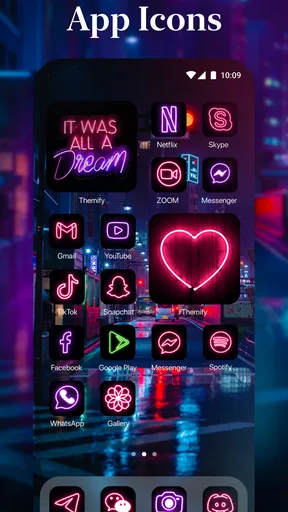
First things first, let's talk about what Themify actually does. This app allows you to customize your phone’s appearance with a variety of themes and icons. Whether you’re feeling minimalist, bohemian, or even a little futuristic, there’s something in here for you. The user interface is super intuitive, which means you don’t have to be a tech wizard to give your phone a facelift.
Getting Started
Downloading and setting up Themify is a breeze. Once you’ve got it installed, you’ll be greeted with a clean and straightforward dashboard. The app guides you through the process of selecting and applying themes and icons, making the whole experience as smooth as butter. You’ll find yourself swiping through options and applying changes with just a few taps.
Theming and Icon Packs
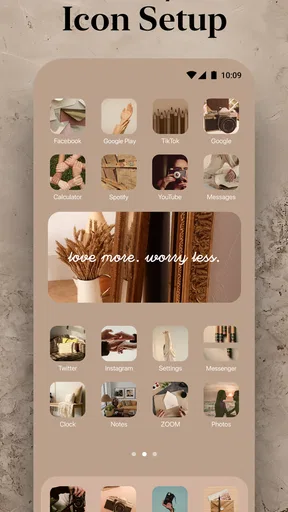
Here’s where the fun really begins. Themify offers a vast library of themes and icon packs. From sleek and professional to fun and quirky, the choices are plentiful. I spent an embarrassing amount of time toggling between different styles, trying to find the perfect look. And the best part? You can mix and match themes and icons to create a truly personalized experience.
Widgets Galore
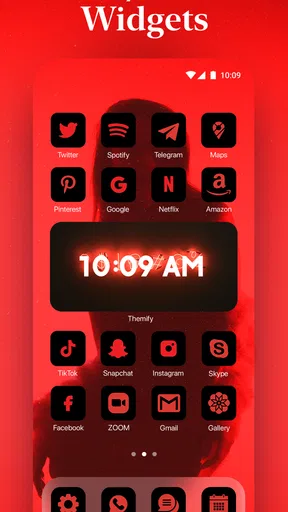
Widgets are having a moment, and Themify doesn’t disappoint in this department. The app provides a range of customizable widgets that you can add to your home screen. Whether you want quick access to your calendar, weather updates, or just a stylish clock, the options are quite impressive. I found the widgets not only aesthetically pleasing but also super practical.
Usability and Performance
Now, you might be wondering if all these customizations slow down your device. I’m happy to report that during my time with the app, I didn’t experience any noticeable lag or performance issues. The app runs smoothly, and the changes are applied almost instantly. It’s clear that the developers have put a lot of effort into optimizing the app's performance.
Room for Improvement?
No app is perfect, and while Themify is fantastic, there are a few areas that could use a little polish. For instance, some themes and icon packs require an additional download, which can be a bit of a hassle. Additionally, a few users have reported occasional glitches when applying certain themes, though I didn’t encounter this myself.
Checking the fit before settling in
The app is free and rated for Everyone, so trying it out is approachable; its average rating is 3.7 from around 104,000 ratings, with more than 5 million installs. I read that as a sign of broad interest, not a guarantee that every theme will behave identically on every phone. The current version is 1.30.8, and the app was released on January 31, 2023.
A realistic use case is getting ready for a new semester or a change in routine. I might choose a low-distraction look, put a useful clock or calendar widget where I can glance at it, and keep familiar icons in the places my thumb expects. The key is to use the app’s visual variety to support a routine, not to make the screen so decorative that finding a message or map takes longer.
Small checks that save time
Before applying a full theme, I’d inspect whether its visual style works with the apps I open most. A cohesive set of icons can make a home screen feel tidy, but an unfamiliar or less distinctive symbol may slow recognition. Keeping the busiest page simple and reserving experimental choices for another screen is a useful compromise when I want personality without sacrificing speed.
Widgets deserve the same practical test. I’d add one because it answers a question I regularly have—such as checking the time or seeing a calendar—not merely because it fills an empty space. If it pushes frequently used apps farther away or makes the screen feel crowded, removing it is a better choice than reshuffling everything to preserve the look.
How to judge the trade-offs
The app’s library encourages browsing, but the most satisfying result may come from combining only a few elements. That is a subtle advantage: I can take a theme’s color direction, keep a familiar icon arrangement, and add a widget only if it improves the screen. It also means the app is not necessarily a one-tap answer for someone who expects every part of a phone interface to change perfectly as a single package.
Some extra downloads and occasional theme-application glitches are worth keeping in mind. If a result looks inconsistent, I’d test one element at a time rather than immediately reinstalling or changing the entire layout. That makes it easier to identify whether the issue is tied to a particular theme, icon set, or widget, and avoids losing a setup that otherwise works well.
Popularity, value, and a sensible stopping point
Themify has 660 reviews alongside its much larger rating count, so I would use the overall response as a broad impression rather than a detailed guide to a specific theme. I’d start with the free experience, decide whether the browsing and setup suit me, and only then consider an optional purchase. The price range per item is wide enough that checking the individual cost matters more than assuming every design is included.
One good way to avoid endless tweaking is to set a simple goal before opening the app: make the home screen calmer, easier to scan, or more personal. Once that goal is met, live with the layout for a day before changing it again. This turns customization into a useful occasional refresh instead of a loop of swapping styles without improving how the phone feels to use.
Final Thoughts
So, is Themify: Theme & Icon Changer worth your time? Absolutely! If you enjoy personalizing your phone and giving it a fresh look every now and then, this app is a must-try. It’s user-friendly, packed with options, and runs smoothly. Plus, it’s a fun way to express your personal style through your device. Give it a whirl, and you might just find your new favorite app.
My verdict after the makeover
I’d recommend Themify to someone who wants inspiration and likes shaping a home screen in manageable steps. I would not recommend treating it as a required replacement for a launcher or expecting every decorative choice to improve daily use. Its real strength is helping me explore a look, then keep the parts that feel practical. If that balance sounds appealing, it is worth trying; if you value a stable, untouched layout above all, the built-in options are probably enough.
Verdict
Strengths of Themify: Theme & Icon Changer
- Highly customizable themes available.
- Easy-to-use interface for beginners.
- Regular updates with new icons.
- Supports a wide range of apps.
- No root required for installation.
Limitations of Themify: Theme & Icon Changer
- Some themes require a purchase.
- Occasional lag on older devices.
- Limited free options available.
- Ads can be intrusive at times.
- Not all icons are customizable.
Other Releases by AIBY Inc.
View All
ChatOn - AI Chat Bot Assistant
Productivity4.5

Fonts Art - Keyboard Fonts
Personalization4.5

Plantum - Plant Identifier
Education4.4

Coin ID - Coin Identifier
Tools4.3
Similar Picks in This Category
View All
Microsoft SwiftKey AI Keyboard
SwiftKey4.3

Wallpapers
Google LLC4.1

Zedge™ Wallpapers & Ringtones
Zedge4.7

Yandex Browser with Alice AI
Direct Cursus Computer Systems Trading LLC4.3

Ringtone Maker:create ringtone
Big Bang Inc.4.7

Fonts Keyboard
Fonts Keyboard3.9
Frequently Asked Questions
What is Themify: Theme & Icon Changer, and how does it work?
Themify is a customization app designed for Android and iOS that allows users to personalize their device's appearance. With this app, you can change themes, icons, and wallpapers to reflect your style. It offers a wide selection of pre-designed themes and icons, along with the flexibility to create your own combinations, making it easy to give your phone a unique look.
Is Themify free to use, and are there any in-app purchases?
Themify offers a free version with basic features, allowing users to explore a variety of themes and icons. However, for access to premium themes, icons, and advanced customization options, users can opt for in-app purchases or a subscription model. This ensures a more extensive selection and enhanced capabilities for those seeking deeper customization.
How can I ensure that Themify won’t affect my device’s performance?
Themify is designed to run smoothly on most modern devices. However, it's essential to ensure your device meets the minimum system requirements before installation. Regularly updating the app and your device’s operating system can also help maintain optimal performance. Users should monitor their device's RAM and storage to prevent any slowdown.
Can I revert back to my original theme and icons after using Themify?
Yes, reverting to your original theme and icons is simple with Themify. The app provides an option to restore default settings, allowing users to return their device to its original appearance. This feature ensures that customization is entirely reversible, giving you peace of mind when experimenting with different looks.
Is Themify safe to download and use on my device?
Themify is a secure app available on official platforms like Google Play and the App Store, ensuring it has undergone rigorous testing for safety and reliability. To enhance security, it's recommended to download the app from these official sources and keep it updated to protect against any potential vulnerabilities.
